
HubSpot Integration
Learn how to integrate Lippy AI with HubSpot to automate your CRM workflows and enhance your customer interactions.
How to integrate Lippy AI with HubSpot
Complete your HubSpot integration in 2 main steps:
Step 1: Connect to HubSpot
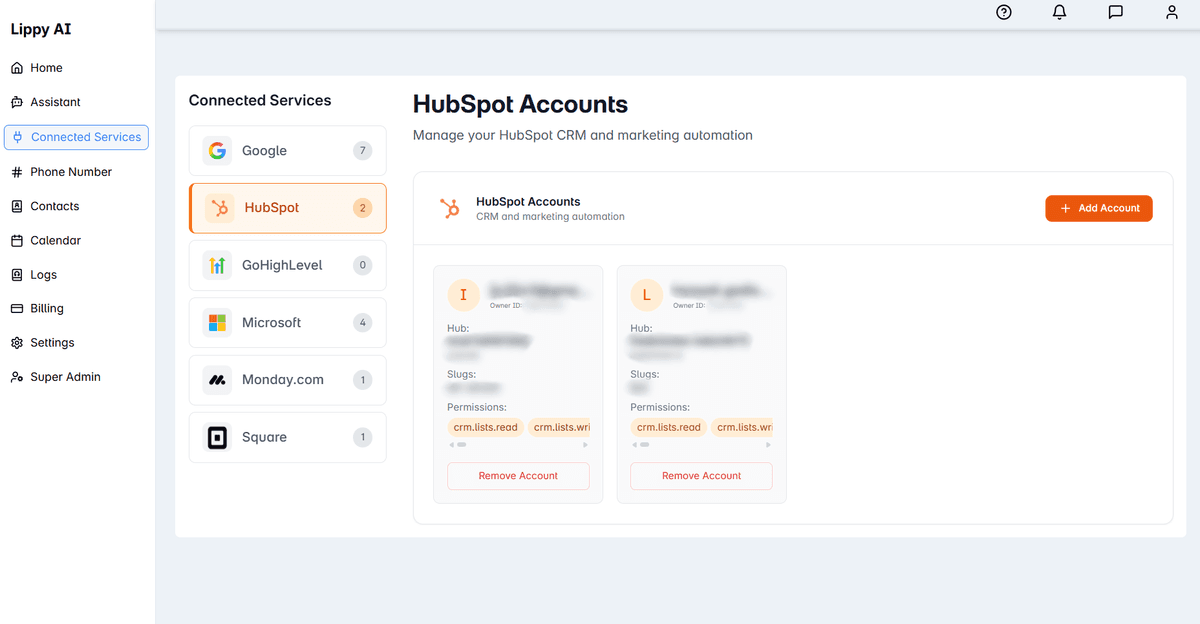
In the Lippy AI dashboard, to connect to HubSpot:
- Go to "Connected Services" on the left sidebar
- Click "HubSpot"
- Click "Add Account" and sign in with your HubSpot credentials
- You can add as many HubSpot accounts as you like, and map the various actions we offer to different accounts for each agent
Step 2: Map a HubSpot action to an agent
To configure your agent with HubSpot actions:
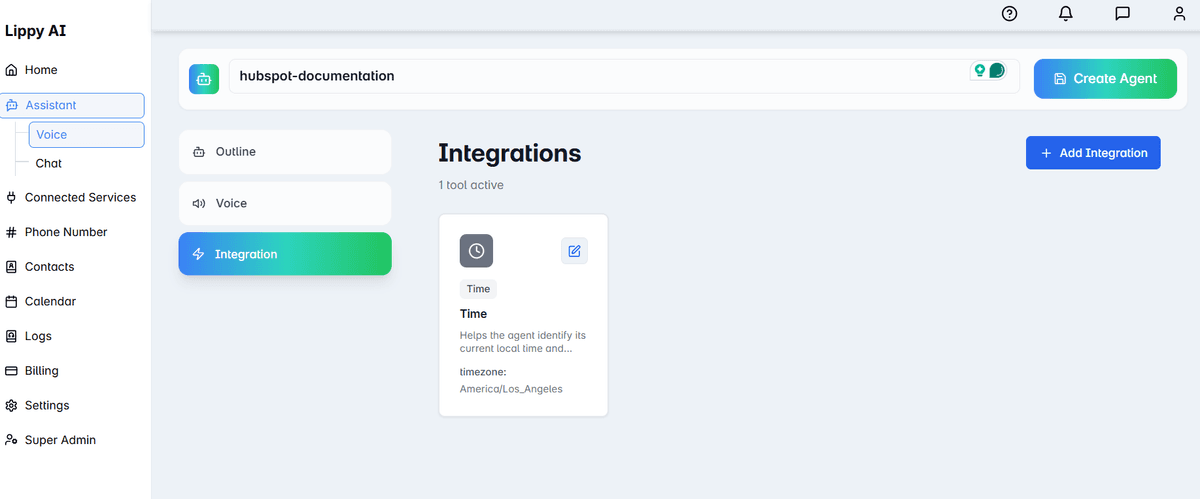
- In the assistant builder, click "Integration" on the left sidebar
- Click "+ Add Integration"
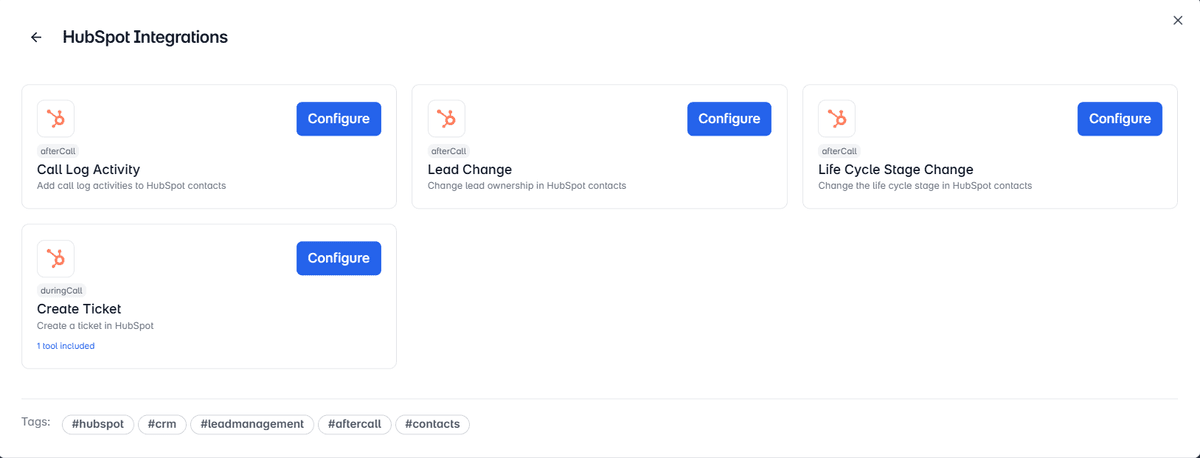
- Click "HubSpot"
- Choose from the 4 actions we have available:
- Call Log Activity
- Lead Change
- Life Cycle Stage Change
- Create Ticket
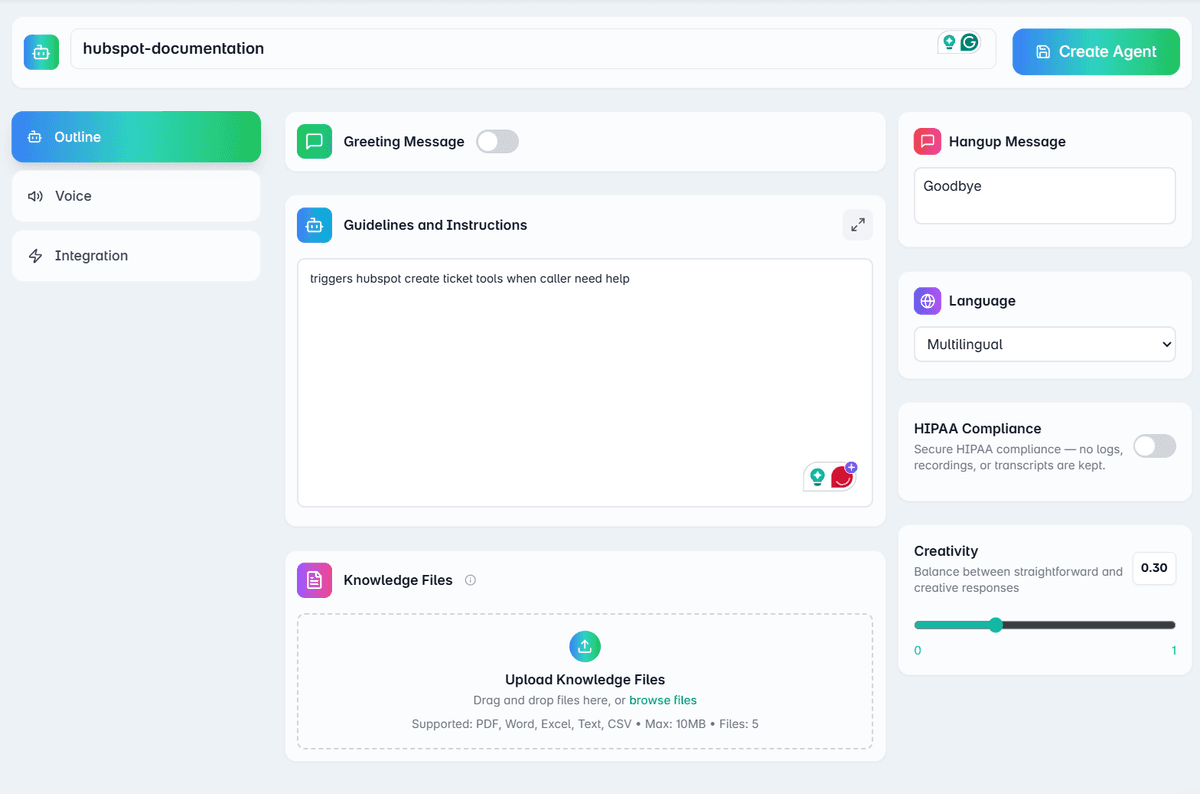
- Prompt the agent to trigger the chosen actions when and how you prefer
Need More Actions?
If you need an event or scheduling integration, please contact our support team at support@lippy.ai